WaveFlow for desktop
Stablev2.0.1Your music, played the way it was made.
Your files, your library, your machine.
A music player for the files you already own. WaveFlow scans your folders, sorts everything by album, artist and genre, and plays it through its own audio engine — gapless, Hi-Res, with lyrics that follow every word. No subscription, no account, no ads.
- Windows · macOS · Linux
- Open source, GPL-3.0
- No account
- No telemetry
- 13.5K downloads
Sound
An engine built for your DAC
WaveFlow decodes, mixes and plays through its own real-time engine. Shared output just works; exclusive output gives the device to WaveFlow alone.
Every format you own
MP3, FLAC, ALAC, AAC (HE-AAC included), Opus, Ogg Vorbis, WAV, AIFF and DSD — plus WavPack and Monkey’s Audio from 2.0.
Exclusive output on every system
WASAPI exclusive on Windows, CoreAudio hog mode on macOS, a direct ALSA device on Linux. Bit-perfect when nothing alters the signal and the output follows the file’s sample rate — and WaveFlow says when it is.
Hi-Res and DSD
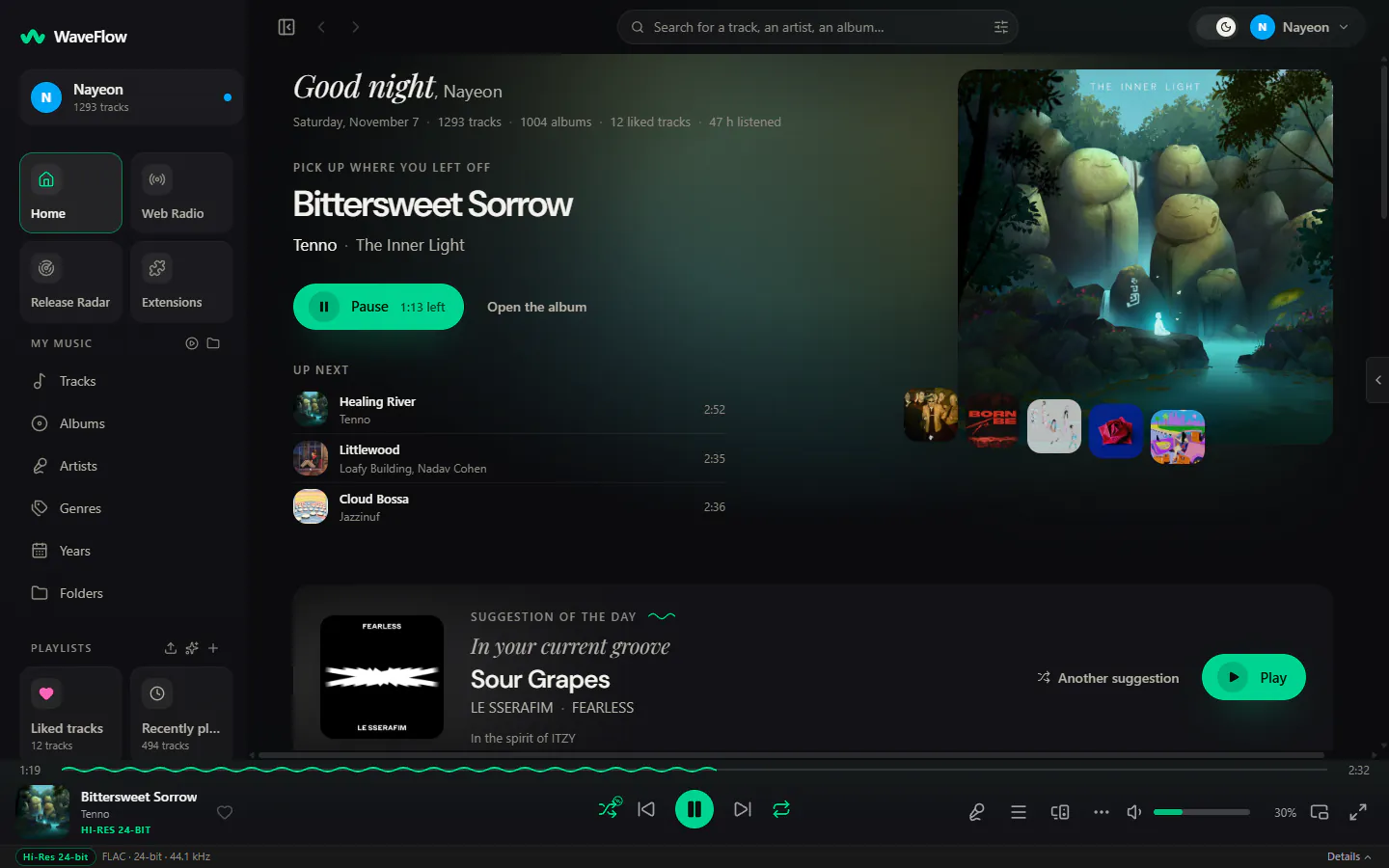
The quality of every track in the player bar, with a Hi-Res badge from 24 bits. DSF and DFF from DSD64 to DSD1024, converted to PCM, or sent untouched as DSD over PCM (DoP) to a DAC that accepts it.
Gapless, and crossfades that think
Albums play without a gap. A crossfade can leave an album’s tracks alone, or follow the tempo gap between two songs.
AutoMix New in 2.0
The fade lands on both tracks’ beats, over 32, 16, 8 or 4 beats, and falls back to a plain fade when the tempos don’t meet.
Surround New in 2.0
Each channel of 5.1 and 7.1 goes to its own speaker. With fewer speakers, the channels are mixed down to fit, without clipping.
ReplayGain, EQ and speed
Track or album ReplayGain, a 6-band equalizer with presets, speed from 0.5× to 2× (keeping the pitch from 2.0), A-B repeat and a sleep timer.
Lyrics
Lyrics that follow every word
Synced lyrics come from the file itself, a .lrc beside it (a .ttml too from 2.0), LRCLIB and other sources, or a plugin — and light up word by word when the source has the timing.
Word by word
Enhanced LRC and TTML timing, in the immersive view, the side panel and the mini-player. Lyrics timed by the line can get an estimated word timing if you turn it on.
Romanization and translation
Romanized lines under Japanese, Korean and Chinese, and translations beside the original, when the source provides them.
An editor of your own New in 2.0
Write, sync and check lyrics in three steps, with undo, and save them as LRC, Enhanced LRC or TTML.
Floating lyrics
One line above every window, or the always-on-top mini-player with the cover and the lyrics.
Library
A library that reads the music, not just the tags
Point WaveFlow at your folders and it keeps up as files come and go. Every album, artist, genre, year and folder gets its page, and search understands pinyin for Chinese titles.
WebDAV and SMB shares New in 2.0
Add a share as a library folder, without mounting it on your system. WaveFlow only reads it.
A Quality tab New in 2.0
Spots files sold as lossless that are not, silent or upsampled files, duplicates and albums with missing tracks. Replace a file with a better copy and keep its plays, likes and playlists.
MusicBrainz, without touching your files New in 2.0
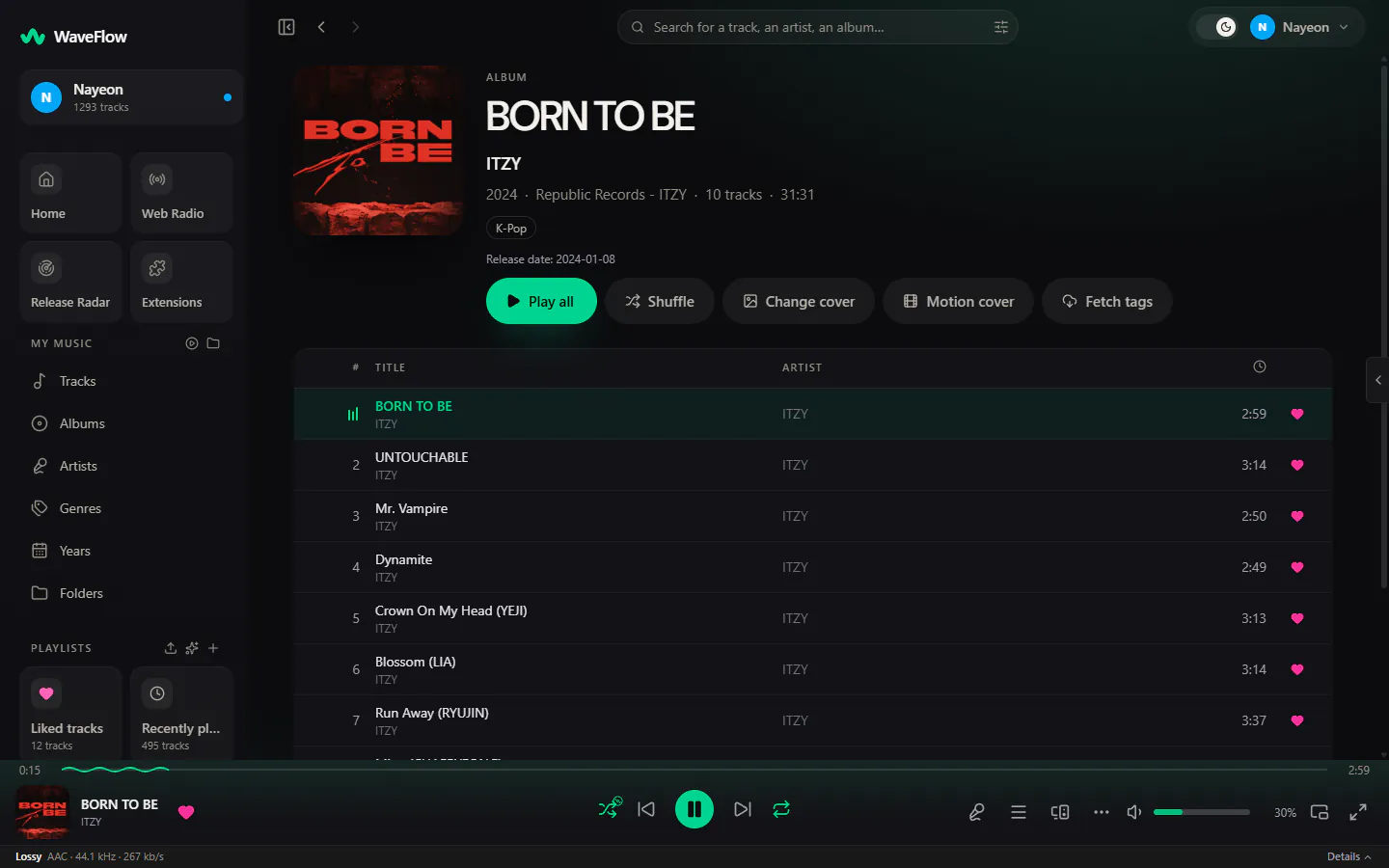
Genres, dates, credits and covers filled in your library, never written into the files. Doubtful matches wait for your review, and every change can be undone.
A tag workshop New in 2.0
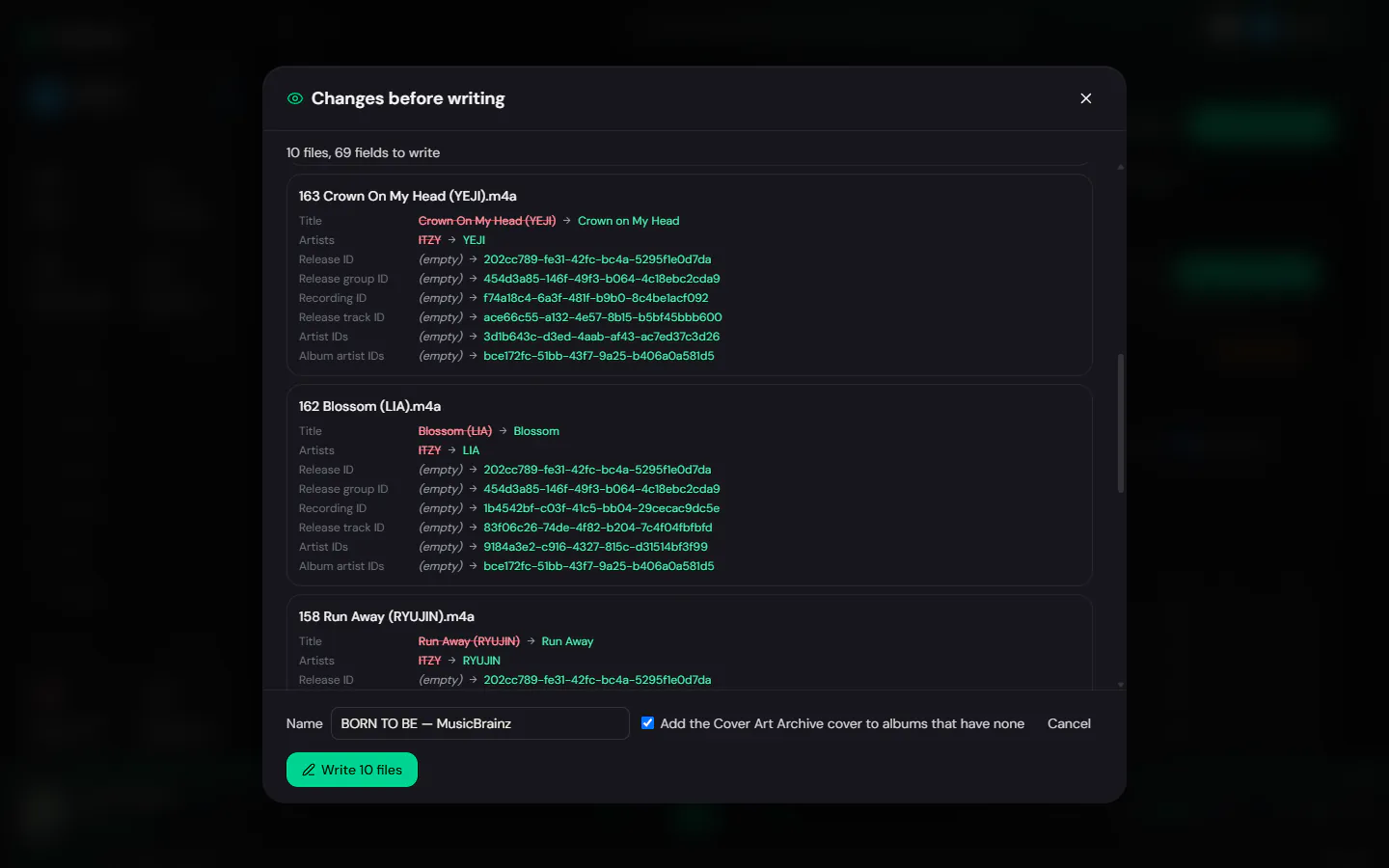
Edit a selection, an album or a folder — fill, find and replace, case, numbering — with a field-by-field preview before anything is written, and an undo.
Measured, not guessed
Loudness and tempo are analysed on your machine, and from 2.0 energy and key too, for the mixes and the transitions.
Mixes and playlists
Mixes made from what you play
Everything is worked out on your computer, from your own listening. No service decides what you hear next.
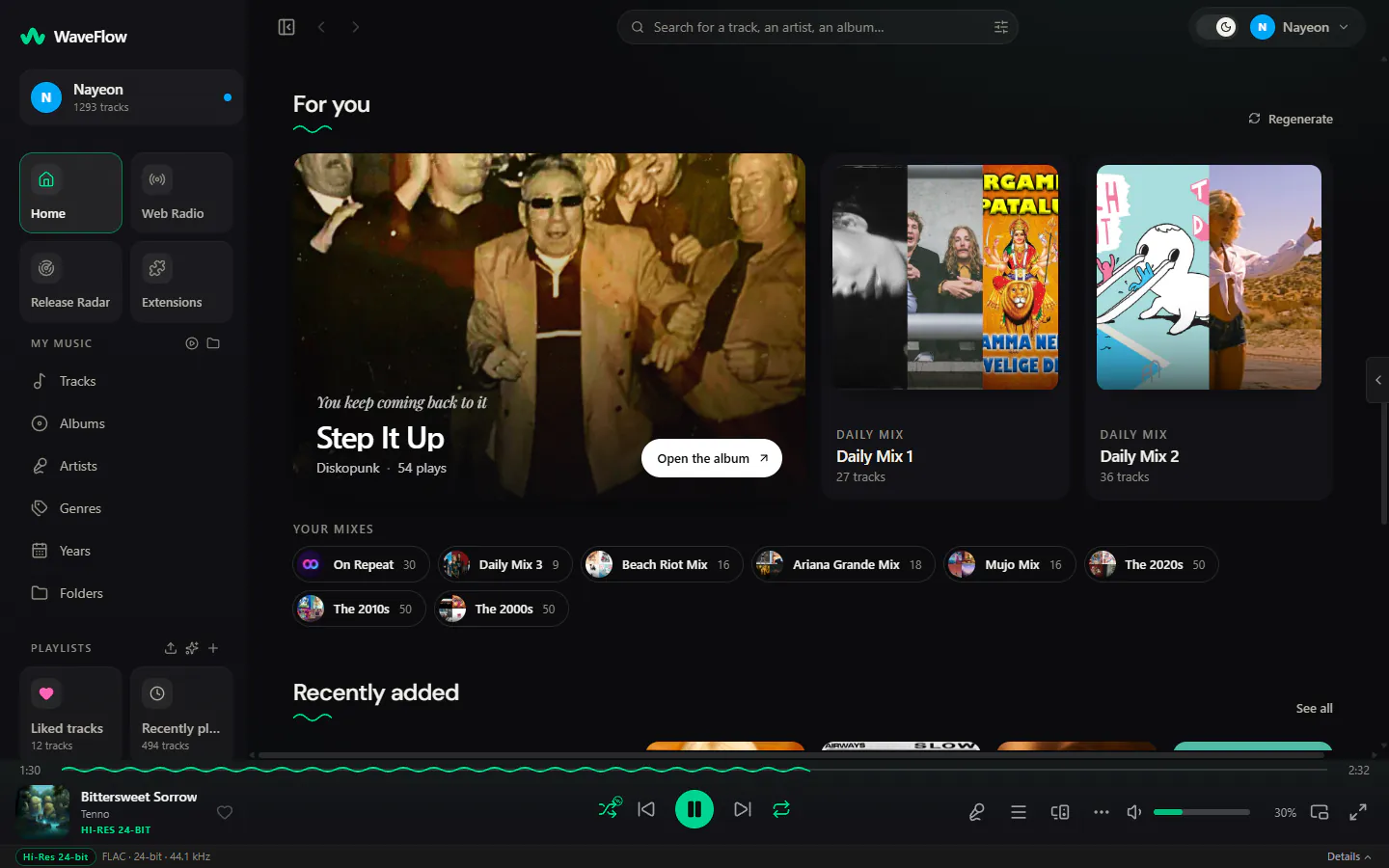
Daily Mix and On Repeat
Three Daily Mixes built from your top artists — sorted by the energy of their songs from 2.0 — and On Repeat with what you played most over the last 30 days.
Mood Radio
Five moods — Focus, Chill, Workout, Party, Sleep — each a 40-track station drawn from your library.
Smart playlists
Rules joined with and, or and not, over 25 kinds of conditions, with a live count of what matches.
Release Radar New in 2.0
New releases from the artists in your library, now built into the app.
Bring your playlists New in 2.0
Import from M3U, CSV, JSON or a public Deezer link; the tracks you don’t have yet keep their place.
Interface
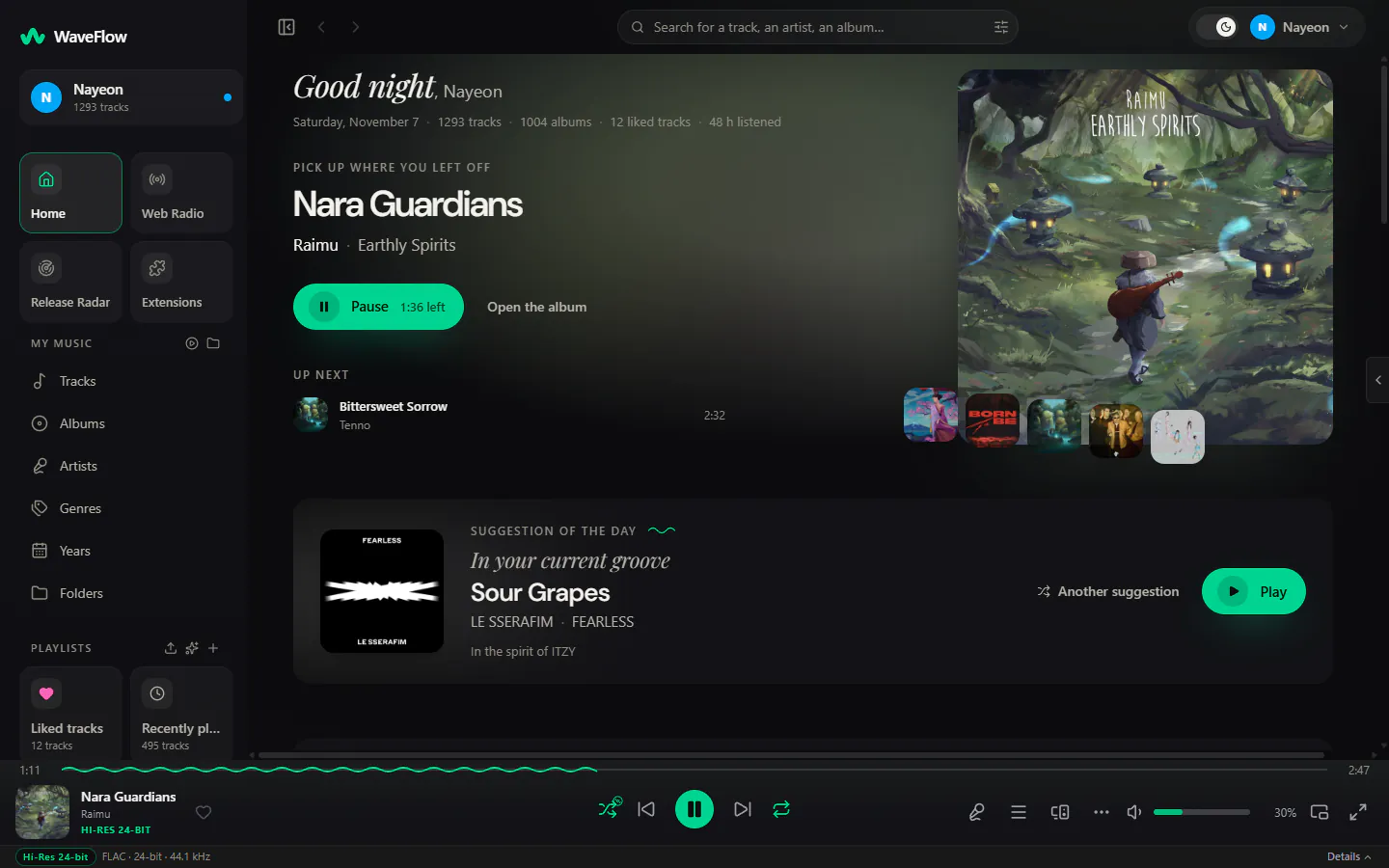
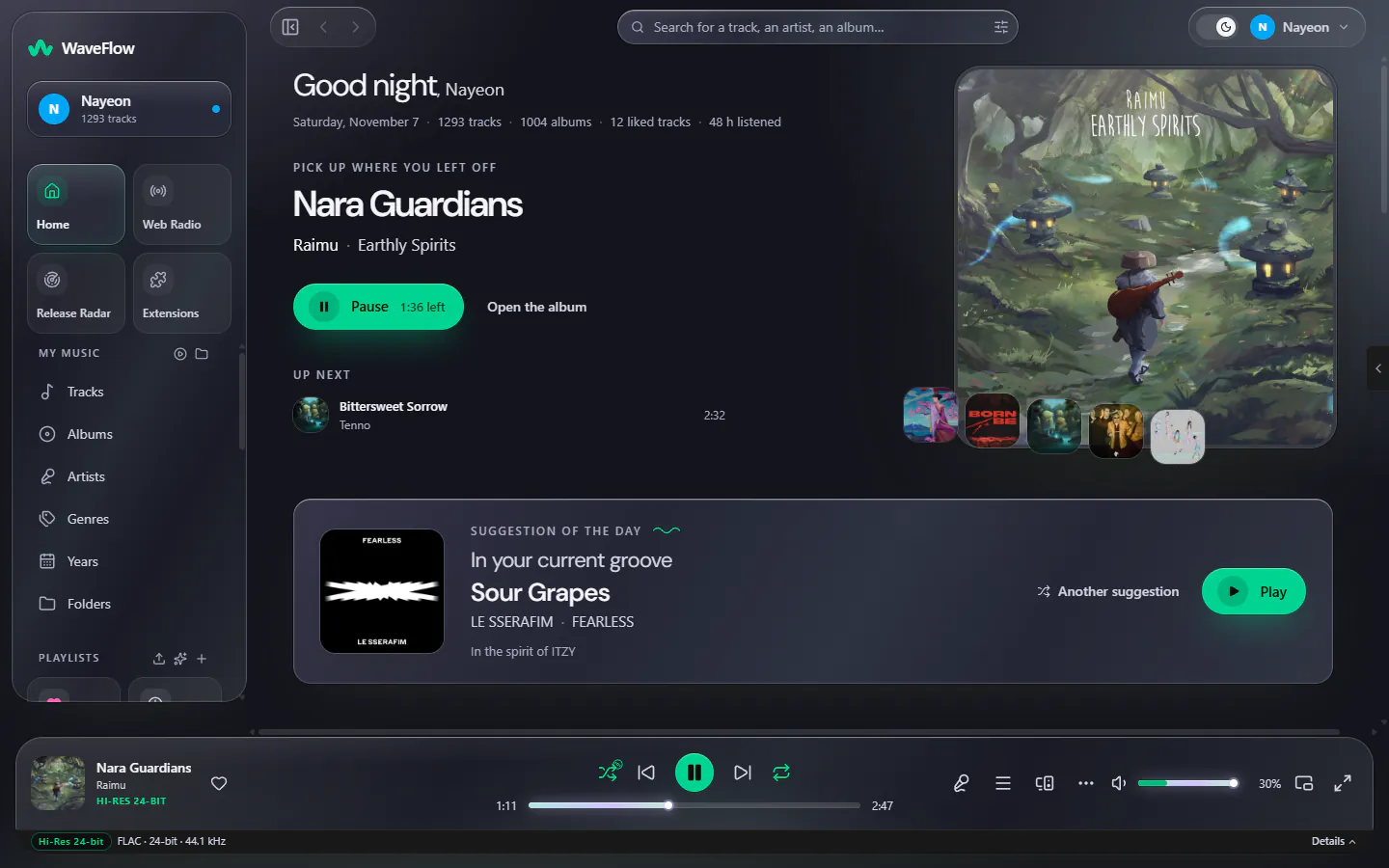
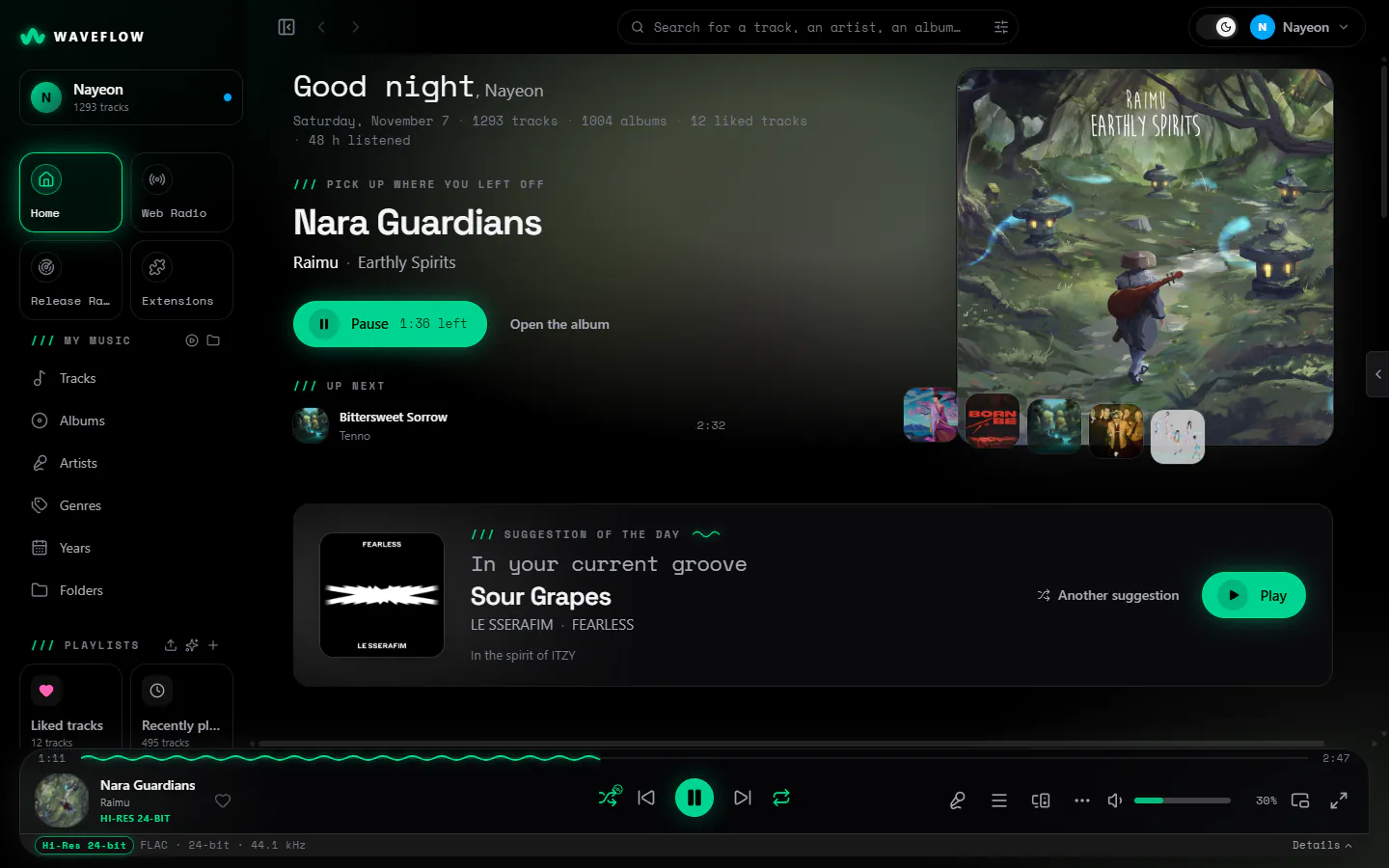
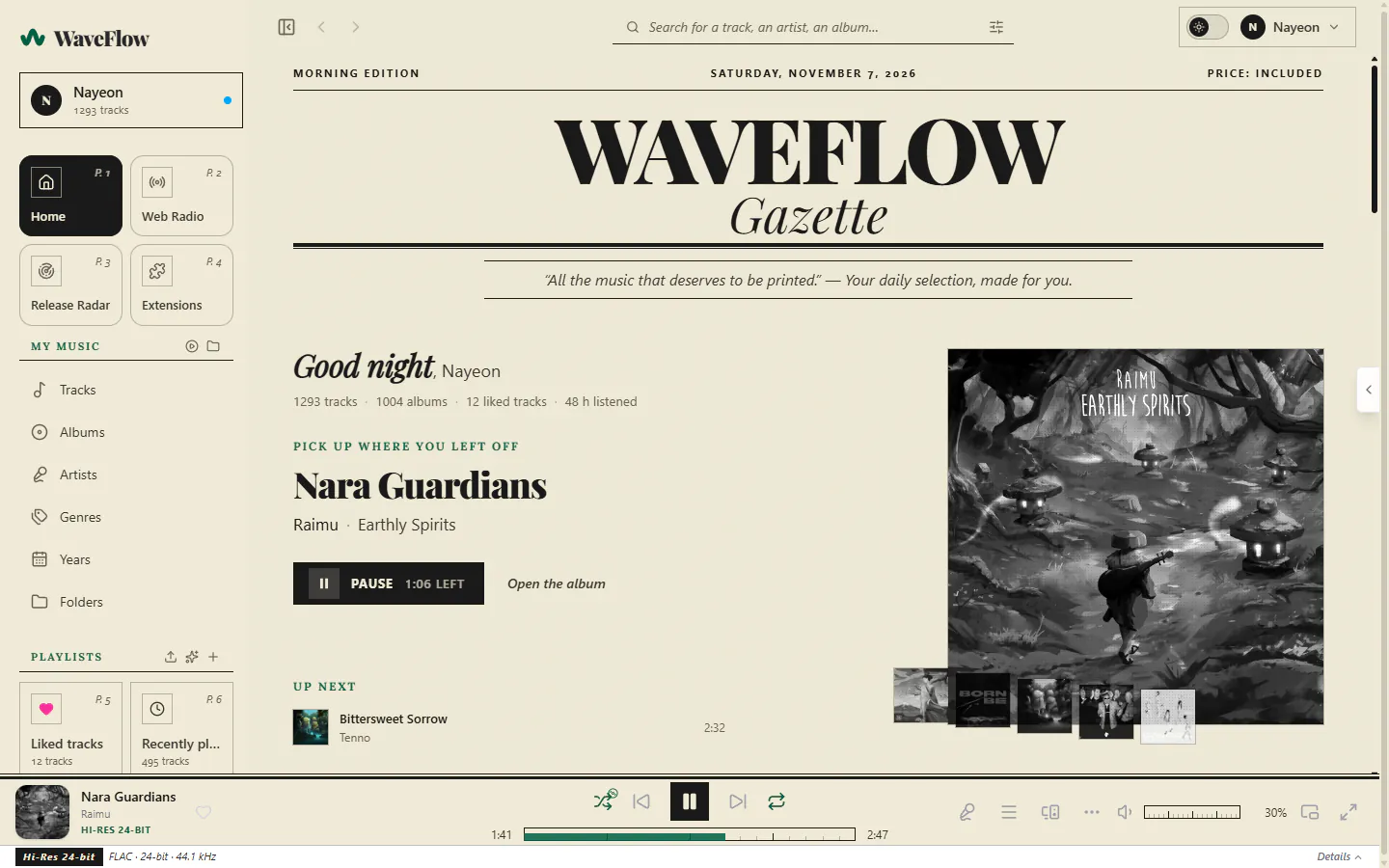
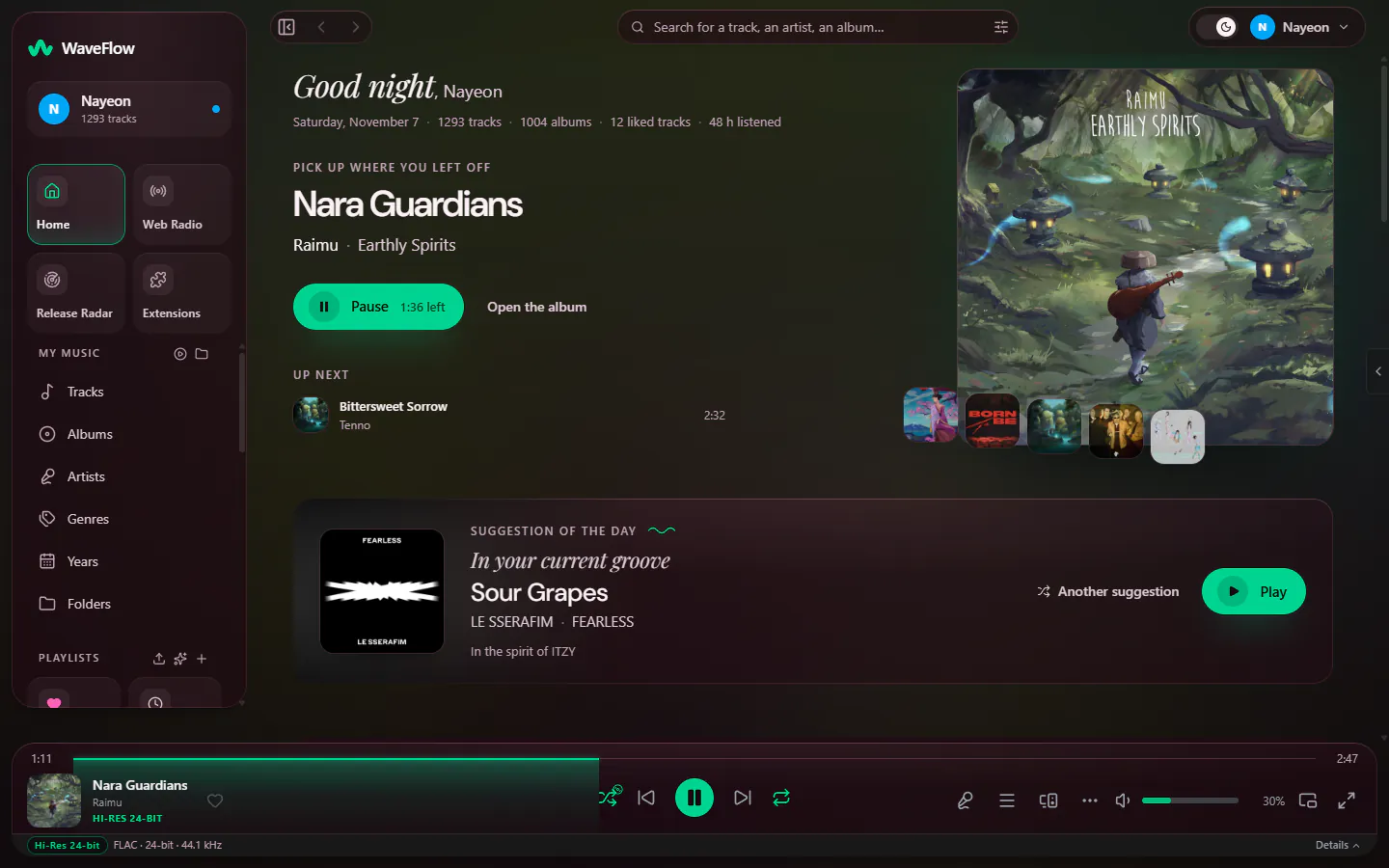
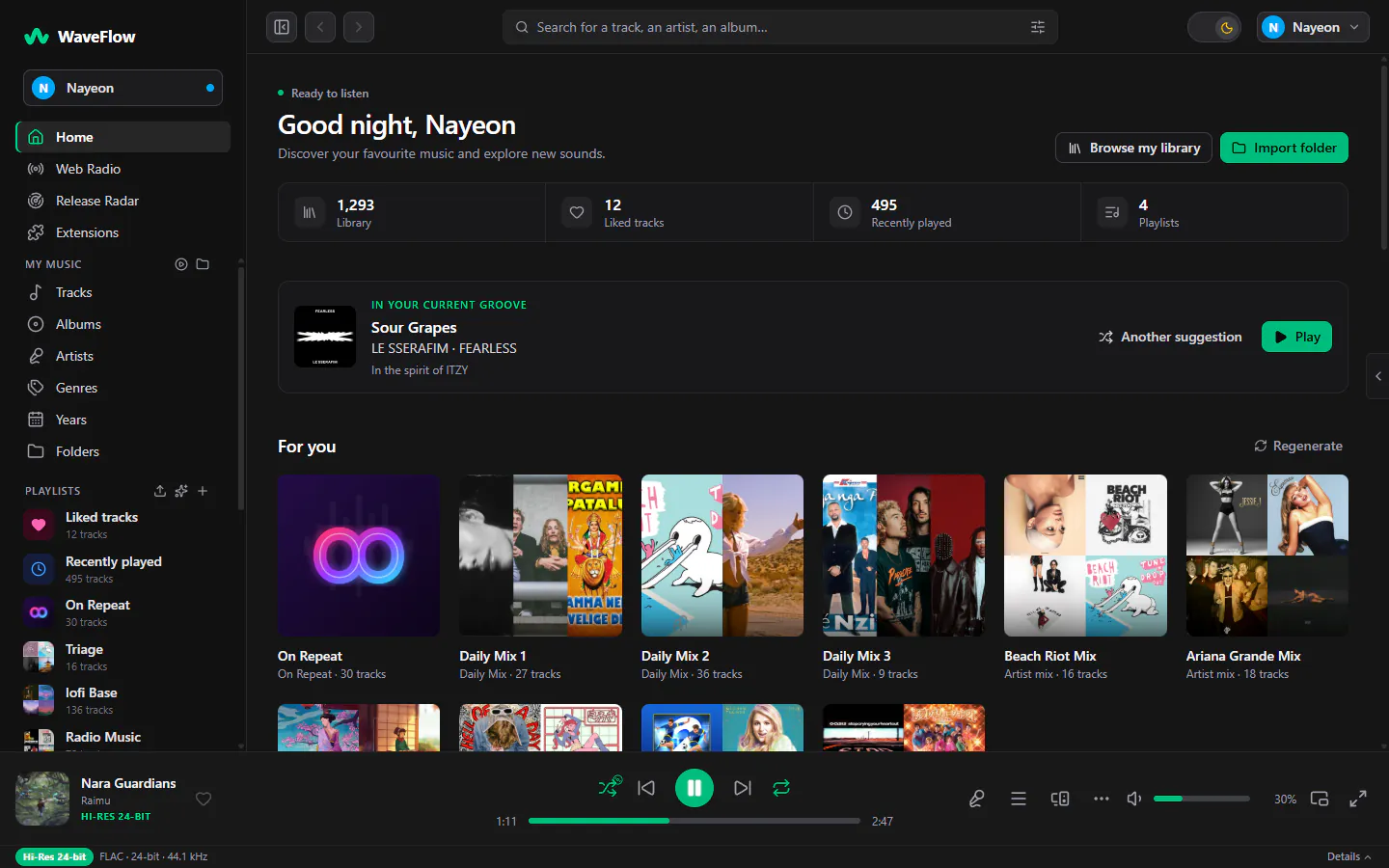
Six skins, lit by the cover
Not six palettes: six layouts, each with its own type, materials and motion, in fourteen themes. From 2.0 the accent can also be a colour of your own, or the cover’s.
Six skins, 84 combinations New in 2.0
Fluid, Liquid, Pulse, Editorial, Lounge and Studio, each in fourteen themes.
The immersive view
The cover, the lyrics and a live spectrum on the whole screen, with the track’s Canvas clip or animated cover when it has one.
Mini-player and tray
An always-on-top mini-player with the lyrics, and WaveFlow in the system tray.
Statistics and Wrapped
Your year of listening and your own WaveFlow Wrapped, computed on your machine and nowhere else.
17 languages
Arabic, right to left, included.
Network
At home with the rest of your setup
Every server is off until you turn it on.
Meet WaveFlow ServerDLNA / UPnP
WaveFlow shares your library as a media server for the TVs, receivers and apps on your network.
MPD
Control playback from a phone or a terminal with the MPD clients you already use: MALP, MaximumMPD, mpc, ncmpcpp, Home Assistant.
WaveFlow Server
Your own server as a second source: its catalogue joins your library, and favourites, ratings, playlists and plays follow you from one device to the next.
Scrobbling and presence
Last.fm and ListenBrainz scrobbling, and Discord Rich Presence.
Plugins
Room to grow
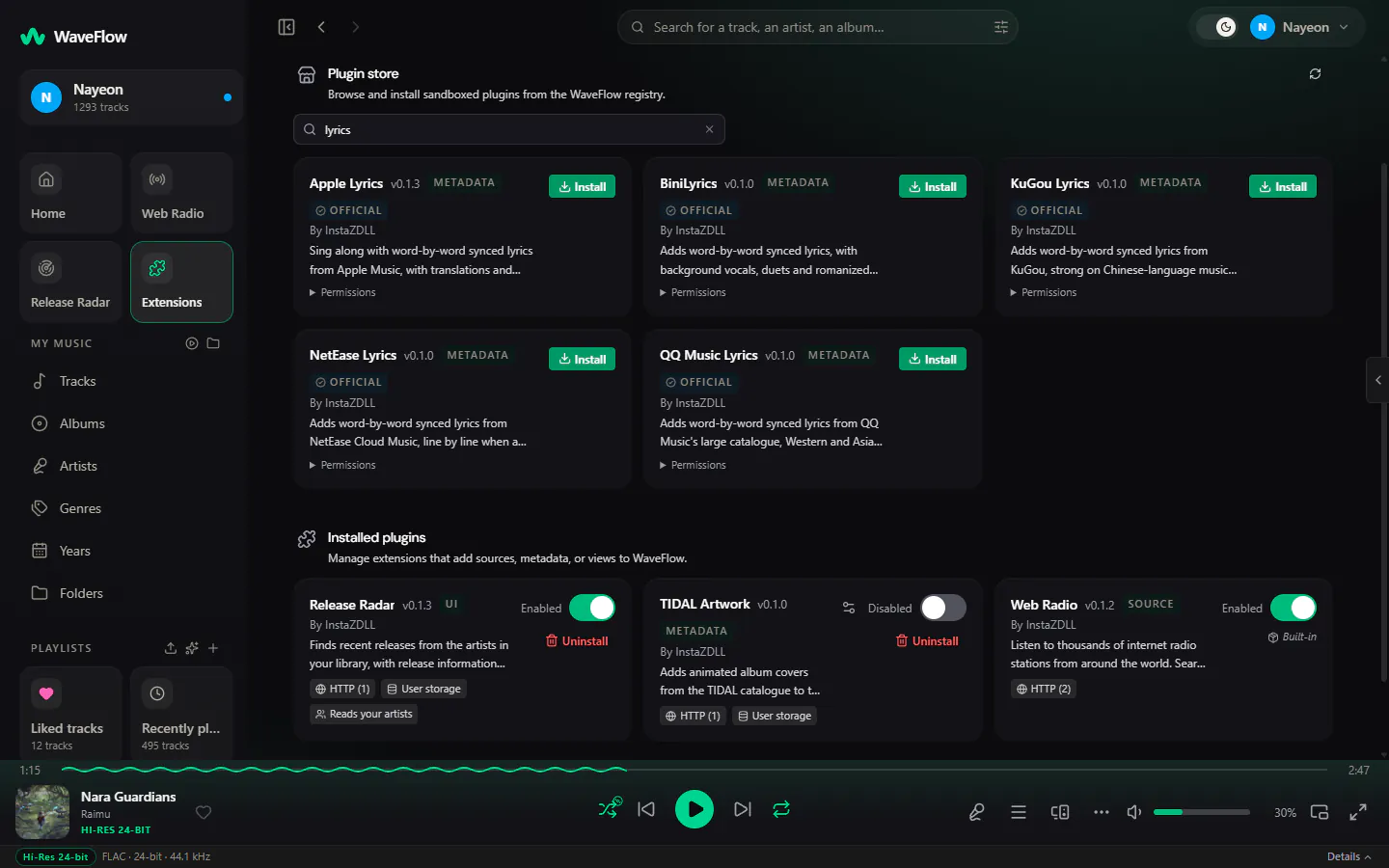
Plugins are small WebAssembly modules that run in a sandbox, with no access to your files and only the network hosts they declare. The store inside WaveFlow installs them in one click and checks every download against the fingerprint its registry pins.
Web Radio, included
Over 30,000 stations by country, language or genre, stations of your own, and from 2.0 a 30-minute pause on live streams.
More lyrics
More catalogues with word timing, duets, translations and romanization.
Motion on Now Playing
Canvas clips and animated covers behind the track.
Write your own
Music sources, metadata and lyrics, pages of their own, Canvas clips — in any language that builds a WebAssembly component.
Privacy
Nothing to sign up for
No account, no telemetry, no analytics, no crash reports. Your library, your history and your settings stay on your computer.
Read PRIVACY.mdEvery connection listed
Covers, lyrics, the update check: each online feature is described in PRIVACY.md, with what it sends and how to turn it off.
One switch to go offline
Offline mode cuts the update check, artwork, lyrics, scrobbling, MusicBrainz, the store, radio, podcasts, your server and network shares at once. DLNA, MPD and Discord presence, which stay on your machine or your network, keep working.
Built in the open
Every release is built by GitHub Actions from a tagged commit of the public repository, never on a personal machine.
Specifications
The details
| Version | 2.0.1 |
|---|---|
| Systems | Windows (x64) · macOS, one build for Apple silicon and Intel · Linux x64 with glibc 2.39 or later (Ubuntu 24.04, Debian 13) |
| Audio formats | MP3, FLAC, ALAC, AAC and HE-AAC, Opus, Ogg Vorbis, WAV, AIFF, DSD (DSF, DFF); WavPack and Monkey’s Audio from 2.0 |
| Output | Shared or exclusive: WASAPI (Windows), CoreAudio hog mode (macOS), ALSA hw (Linux) · stereo; 5.1 and 7.1 from 2.0 |
| DSD | DSD64 to DSD1024, converted to PCM or sent as DoP |
| Lyrics | LRC, Enhanced LRC and TTML: in the file, online, or beside it (a .ttml from 2.0) |
| Plugins | WebAssembly components (WASI 0.2), sandboxed |
| Languages | 17, right to left included |
| Updates | Signed in-app updates, with a beta channel; package managers update through their own tools |
| Licence | GPL-3.0-only · free, no ads, no account |
| Built with | Tauri 2, Rust, React 19 |
Install
Install WaveFlow
Installers for every system with each release, and the package managers you already use. Installed builds update themselves.
Windows
Installer (.exe) or MSI, x64
.exe — Windows v2.0.1 .msi — Windows v2.0.1
winget
winget install InstaZDLL.WaveFlowThe installer is signed with the project’s own certificate, not yet by an authority Windows knows, so Windows may warn you the first time.
macOS
One DMG for Apple silicon and Intel
Terminal
curl -fsSL https://waveflow.app/install.sh | bashWaveFlow is not notarized by Apple yet, so macOS stops a copy downloaded with a browser the first time: install it with the command above, which clears that flag on WaveFlow alone. With the DMG, open WaveFlow once, then choose Open Anyway in System Settings › Privacy & Security (on macOS 14 and earlier, right-click it and choose Open).
Linux
AppImage, .deb or .rpm, x64
AppImage — Linux v2.0.1 .deb — Linux v2.0.1 .rpm — Linux v2.0.1
AUR
yay -S waveflow-binCOPR
sudo dnf copr enable instazdll/waveflow
sudo dnf install waveflow
APT
sudo install -d -m 0755 /etc/apt/keyrings
curl -fsSL https://packages.buildkite.com/instazdll/waveflow/gpgkey | sudo gpg --dearmor -o /etc/apt/keyrings/waveflow.gpg
echo "deb [signed-by=/etc/apt/keyrings/waveflow.gpg] https://packages.buildkite.com/instazdll/waveflow/any/ any main" | sudo tee /etc/apt/sources.list.d/waveflow.list
sudo apt update && sudo apt install wave-flow
Needs glibc 2.39 or later (Ubuntu 24.04, Debian 13). Flathub: not yet, the submission is being prepared.
Questions
About the player. Something else? Ask in GitHub Discussions, in any language.
Is WaveFlow free?
Yes. WaveFlow is free and open source under GPL-3.0, with no ads, no subscription and no account.
What does 2.0 bring?
2.0 is the stable version. It brings the new interface and the features marked New in 2.0 on this page. An installed WaveFlow offers the update itself; a copy installed with a package manager updates through it.
Does WaveFlow give you a streaming catalogue?
No. It plays the files you own, on your disk or on a WebDAV or SMB share, and web radio. To reach your music from anywhere, pair it with WaveFlow Server.
Is the sound bit-perfect?
It can be. With exclusive output, the output following the file’s sample rate, the volume at 100 % and nothing else altering the signal (no EQ, no ReplayGain, no speed change), the samples reach your DAC as they are in the file, and WaveFlow says so. DSD sent as DoP qualifies too.
Why does Windows or macOS warn me?
The Windows installer is signed with the project’s own certificate, which Windows does not know yet, and the macOS build is not notarized by Apple. On macOS, install it with
curl -fsSL https://waveflow.app/install.sh | bash: it clears that warning for WaveFlow alone and changes no system setting. With the DMG, open WaveFlow once, then choose Open Anyway in System Settings › Privacy & Security; on macOS 14 and earlier, right-click it and choose Open. Every release is built by GitHub Actions from the public repository.Does WaveFlow change my files?
Not unless you ask. MusicBrainz enrichment writes to WaveFlow’s own database only. The tag workshop writes tags when you confirm, after a field-by-field preview, and can undo each batch.
Which languages does it speak?
17: English, French, German, Spanish, Italian, Portuguese (Portugal and Brazil), Dutch, Russian, Japanese, Korean, Chinese (simplified and traditional), Arabic, Hindi, Indonesian and Turkish.
Is there a mobile app?
WaveFlow for Android is in development. Meanwhile WaveFlow Server speaks the OpenSubsonic API, so the phone apps that support it can play your library.
Album artwork in the screenshots comes from the maintainer’s own library and belongs to its rights holders. WaveFlow does not bundle or distribute any music.
The WaveFlow family
One way to listen, on every screen.
It starts with the player. A music server, a phone app and a lyrics editor are built the same way: your files, on your devices, with nothing to pay.
- Stable
WaveFlow Server
Your own music server: your library in a browser, on your phone and on your other computers.
Learn more - In development
WaveFlow Mobile
WaveFlow on your phone: native apps for Android and iPhone, both in development.
Learn more - Stable
WaveFlow QuickPlay
A small player that opens in a blink: double-click a song and just listen, then carry on in WaveFlow.
Learn more - Early preview
Tempora
A lyrics editor: tap along with a song and make lyrics that light up word by word.
Learn more