WaveFlow Server
Stablev2.2.1Your music, everywhere you listen.
Your files. Your server. Every player.
Point WaveFlow Server at the folders where your music lives. It builds your library and plays it in a browser, on a phone or in the WaveFlow player, at home or away, and lowers the quality on its own when the connection is weak.
Docker · Windows · macOS · Linux · Raspberry Pi 4 and 5
What it does
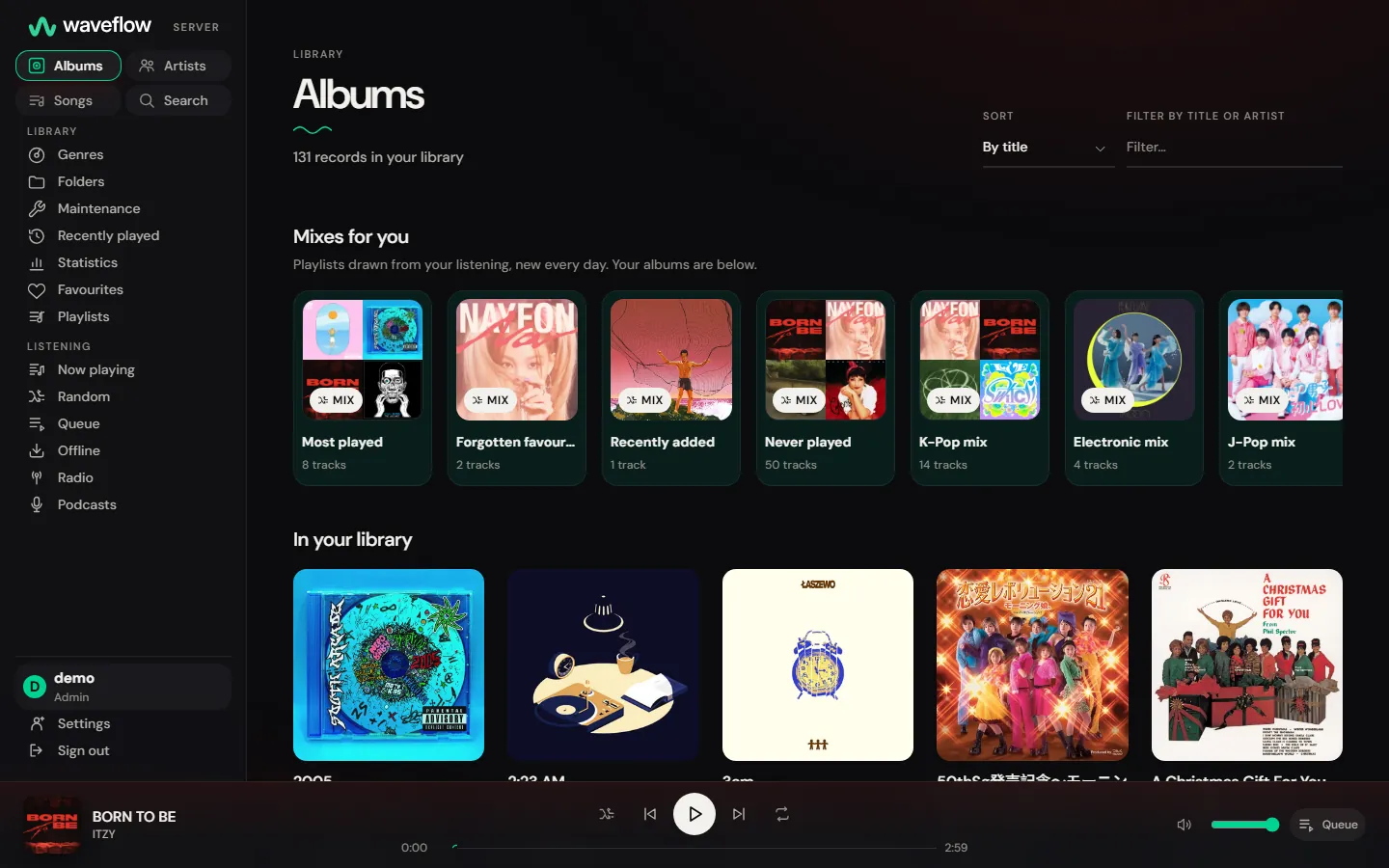
A player in your browser
No app to install: open your server's address and listen on a computer or a phone. Over HTTPS, keep tracks for when you're offline.
Works with the apps you already use
Music apps that support Subsonic connect as they are, and the WaveFlow player keeps your library and your listening in step across your computers.
Knows what your files really are
Every lossless file is measured, so a FLAC that bears the marks of a lossy file is flagged as one.
Nothing moves under you
Albums and artists keep the same identity when the library is scanned again, so the links your apps hold keep working.
Up in a minute
One program and one database file. Start it on your own computer, or leave it running on a home server with Docker.
Yours, and only yours
Your music files are never changed. Nothing leaves your server unless you switch it on, and everyone at home can have their own account.
Where it stands
Stable since 2.0. Version 2.2.1 is the latest, new versions keep coming, and the server can tell you when one is out once you allow it to check.
- Docker Stable
One image for amd64 and arm64: a server, a NAS or a Raspberry Pi 4 or 5.
- Windows · macOS · Linux Stable
An archive to extract and start on your own computer: FFmpeg included, no install.
The web player
A player in your browser
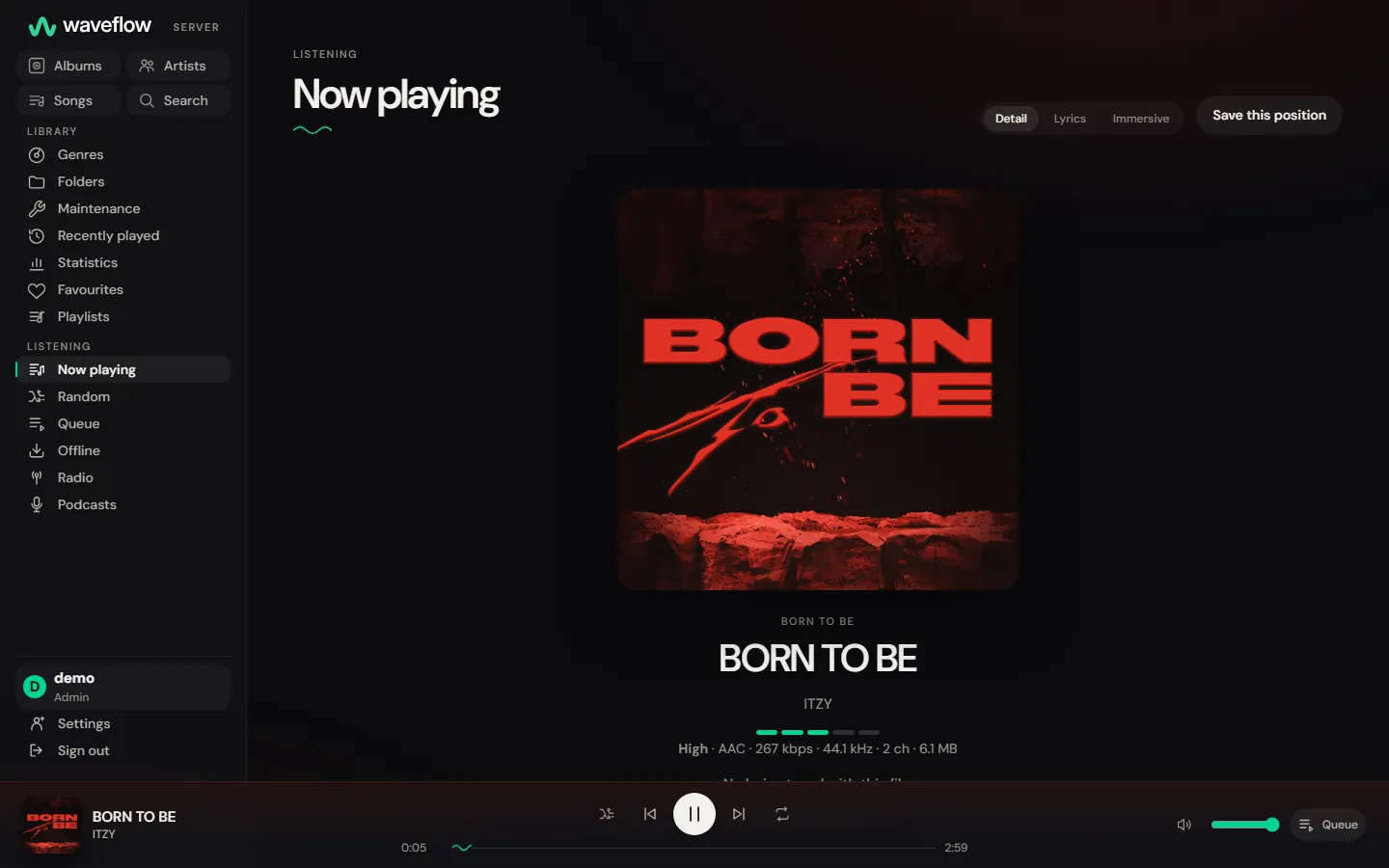
No app to install: open your server's address on a computer or a phone. Albums, artists, folders and genres, search as you type, the queue, synced lyrics with a full-screen view, and mixes made from what you actually play.
- Offline
- Keep the tracks you choose and play them with no connection, in that browser, for your account only. Browsers allow it over HTTPS, or on the computer the server runs on.
- Installable
- Add it to your phone like an app, with lock-screen controls, media keys and keyboard shortcuts.
- 14 themes
- Light and dark, to suit the room and the hour.
- 9 languages
- English, French, German, Spanish, Italian, Japanese, Korean, and Simplified and Traditional Chinese.
Works with the apps you already have
WaveFlow Server speaks Subsonic and OpenSubsonic, the open protocol many music apps already know. Add your server in the app with its address, your username and an app password: no plugin, nothing else to install.
- Protocol
- Subsonic · OpenSubsonic
- Address
/rest/*Most apps add it on their own: give them your server's address.- Password
- Apps get a password of their own, kept apart from the one you use in the browser.
| App | What it was seen doing |
|---|---|
| SymfoniumAndroid | Browse, seek in Opus, MP3 and FLAC, favourites, ratings, bookmarks, lyrics |
| FeishinWindows | Browse, folders, synced lyrics, radio, playlists |
| DSubAndroid | Folders, podcasts, play queue, playlists, sharing |
| JulietiPhone | Browse, transcoding, play queue, playlists |
Each app was run by hand, and every result was read back from the server rather than from the app's screen. The last full run ended on October 28, 2026, before 2.0.0, so not everything added since has met these apps.
Read the compatibility matrixWaveFlow DesktopWindows · macOS · Linux
Keeps your library and your listening in step across your computers, through the native API
Knows what your files really are
A library collected over the years holds surprises. WaveFlow Server listens to the files themselves, and sends each app the sound it can carry.
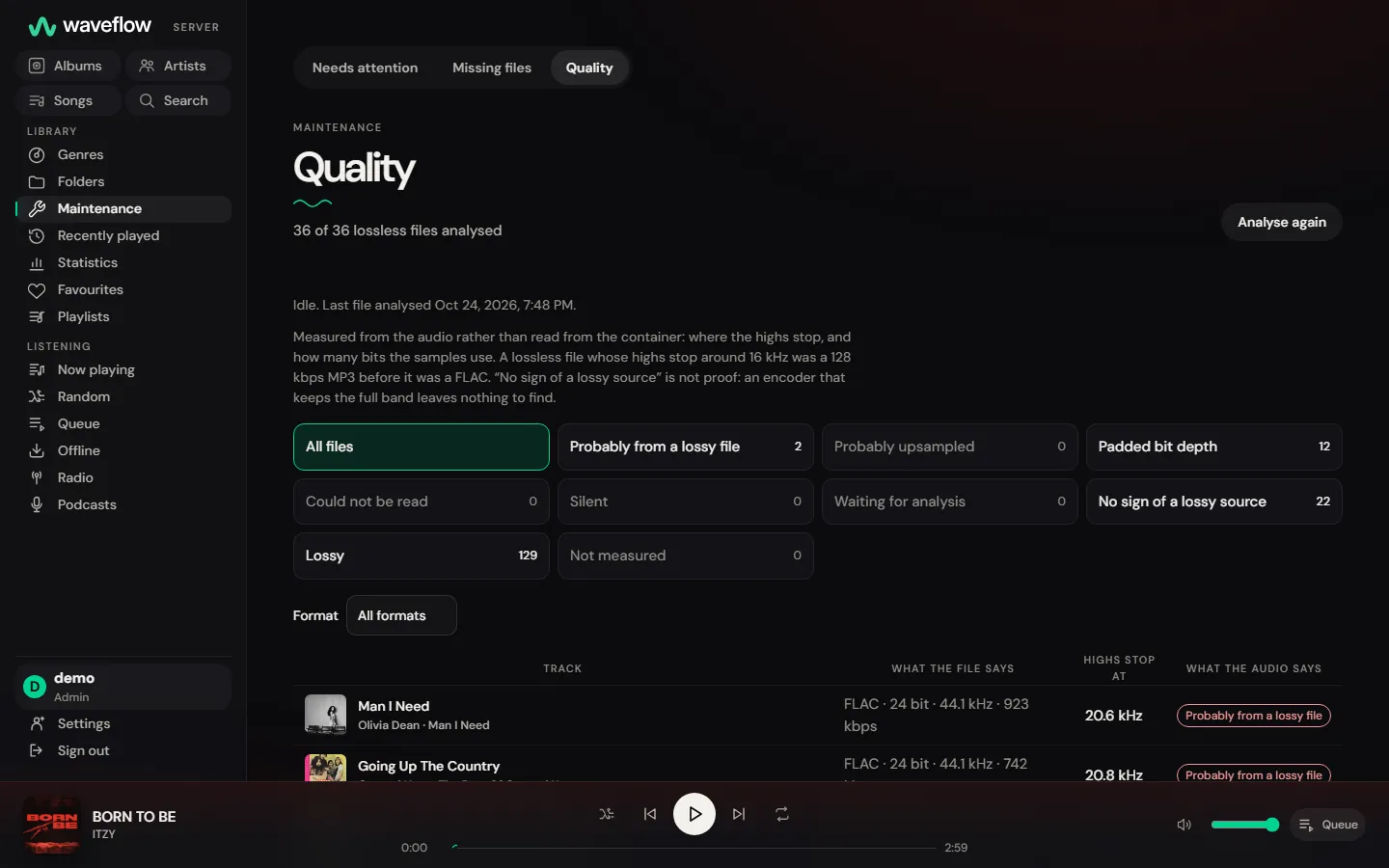
Fake lossless, found
The audio of every lossless file is measured. A FLAC that bears the marks of a lossy file is flagged as one, and so are padded bits and audio upsampled to a higher sample rate.
The original, or lighter on the way
Play the original file, or let the server convert it on the fly to MP3, Opus or AAC when the connection is tight. An app that seeks by byte range may not seek in a conversion still under way: give it the original.
Even loudness
ReplayGain goes to your apps with every track, and the server can level a converted stream itself for an app that cannot.
Yours, and only yours
A server in your home should answer to you alone. WaveFlow Server is built that way from the first start.
Everything the server can contactYour files stay as they are
The scanner and every tag edit leave your audio files untouched. A file that goes missing keeps its favourites, ratings and plays until it comes back.
Nothing leaves unless you switch it on
Left at its defaults, the server sends nothing on its own. Lyrics, artist pictures, scrobbling and the update check each wait for your yes.
One account per person at home
Each account sees only the libraries it belongs to. Passwords are hashed with Argon2id, sign-in is limited against guessing, and a one-time token keeps a stranger from claiming a fresh server.
Backed up in one command
One command copies the database and its key together, and before an upgrade changes the database, the server copies both on its own unless you turn that off. Artist pictures, canvases and downloaded podcasts sit beside them in the data folder: back up the whole folder to keep those too.
Up in a minute
One container, one database file, one key file. No database server, no cache, nothing else to run, and FFmpeg is already inside.
Save this as compose.yaml
Replace /path/to/music with the folder where your music lives. The server only ever reads it.
compose.yamlservices: waveflow: image: ghcr.io/instazdll/waveflow-server:2.2.1 restart: unless-stopped ports: - "4533:4533" environment: WAVEFLOW_DATA_DIR: /data WAVEFLOW_BIND: 0.0.0.0:4533 volumes: - waveflow-data:/data - /path/to/music:/music:ro volumes: waveflow-data:Start it
Docker fetches the image and starts the server in the background.
Terminaldocker compose up -dCreate your account
Open http://your-host:4533. The setup screen creates the administrator account and asks for a one-time token, which the server wrote down for you:
Terminaldocker compose exec waveflow cat /data/setup-tokenAdd your music
Give the name of the account you just created (admin here). The first scan starts on its own.
Terminaldocker compose exec waveflow \ waveflow-server library add --owner admin --name Music --path /music
The image
ghcr.io/instazdll/waveflow-server
Built for amd64 and arm64, so it runs on a Raspberry Pi 4 or 5 with a 64-bit system. Every release is tagged with its version, latest follows the latest stable, and the same image is on Docker Hub.
- linux/amd64
- linux/arm64
Listening from outside
The server speaks plain HTTP, which suits a network you trust. To listen from anywhere, put it behind HTTPS: the repository has a ready setup with Caddy, which gets and renews the certificate itself.
The Caddy setupWithout Docker
Every release also has an archive to extract and start on your own computer: no install, FFmpeg included, and the web player opens on its own. Windows and macOS warn on the first launch; the README.txt inside says what to click.
- Windows · x86_64.zip
- macOS · Apple silicon.zip
- macOS · Intel.zip
- Linux · x86_64.tar.gz
- Linux · arm64.tar.gz
Their checksums are in SHA256SUMS, on the same release.
Download an archiveRead further
- Running itSetup, backups, the instance key, reverse proxies and the optional features.(opens GitHub in a new tab)
- What leaves the serverEvery host the server can contact, what it sends there, and the setting that stops it.(opens GitHub in a new tab)
- Connecting an appThe Subsonic and OpenSubsonic guide: the address to give, the app password, what each call does.(opens GitHub in a new tab)
- The native APIFor building a client of your own on /api/v2.(opens GitHub in a new tab)
- What changedEvery release, with what touches your apps called out first.(opens GitHub in a new tab)
- All the documentationThe compatibility matrix, the design documents and the plans.(opens GitHub in a new tab)
The WaveFlow family
One way to listen, on every screen.
It starts with the player. A music server, a phone app and a lyrics editor are built the same way: your files, on your devices, with nothing to pay.
- Stable
WaveFlow
The local music player for Linux, macOS and Windows: mixes from your own listening, synced lyrics, Hi-Res sound.
Learn more - In development
WaveFlow Mobile
WaveFlow on your phone: native apps for Android and iPhone, both in development.
Learn more - Stable
WaveFlow QuickPlay
A small player that opens in a blink: double-click a song and just listen, then carry on in WaveFlow.
Learn more - Early preview
Tempora
A lyrics editor: tap along with a song and make lyrics that light up word by word.
Learn more